
News & Insights
Highlights from Microsoft Ignite, Part 1: M365 Updates
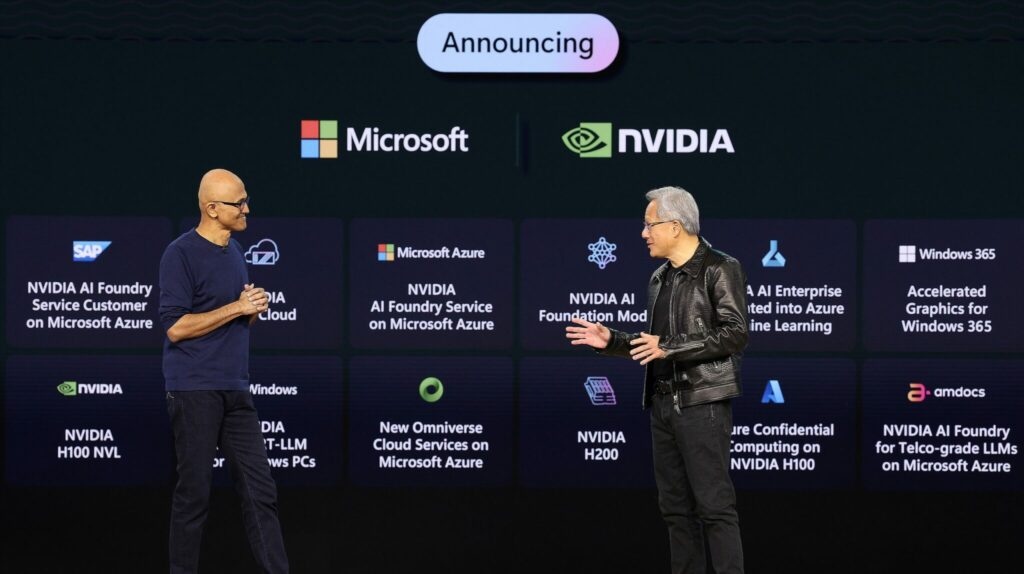
As we reach the end of 2023, it was time, once again, for Microsoft Ignite – Microsoft’s annual conference for developers and IT professionals. Hosted at various locations around the world in years past, Microsoft Ignite 2023 took place in Seattle on November 14-17th; this year promising to explore AI transformation and the technology driving change for workers.
The conference is a showcase of the various advances being made in the industry to help customers, partners, and developers get total value from Microsoft’s technology and reshape the way work is done. This year, perhaps as to be expected, AI’s potential to transform work was a big topic, as was securing infrastructure, and managing data.
On the topic of AI, it was interesting to note that the conference took place eight months after Microsoft released Copilot, a productivity tool that uses AI and machine learning to transform the way we work and improve productivity. Findings so far on the use of Microsoft Copilot indicate that 70% of users said they were more productive, 68% said it improved the quality of their work, and another 68% say it helped jumpstart the creative process – not a bad way to start the discussion on AI’s transformative powers!
Announcements from Microsoft Ignite
Each year following Microsoft Ignite, Microsoft publishes their Book of News. It’s essentially a condensed guide to all announcements made at the conference and makes it easy for people to navigate the latest information from Microsoft by providing key details on the topics discussed at the conference.
In this blog series, we’ll take a look at three areas most pertinent to Littlefish and our customers’ IT challenges. For part one of this series, we’ll take a closer look at Microsoft 365 apps and services announcements:
SharePoint
As most readers are likely aware, Sharepoint is a collaboration platform. It integrates seamlessly with M365, allowing organisations to create, manage, and share content and resources.
Owing to the amount of content stored by organisations on SharePoint, Microsoft announced plans to expand its content management portfolio beyond the platform’s usual capabilities. At Ignite, Microsoft introduced SharePoint Premium, its new AI-powered solution that will also help get data ready for use in Copilot.
SharePoint Premium is set to deliver new ways for organisations to engage with critical content, while also managing and protecting it throughout its lifecycle. It will build additional structure, security, and governance into the original platform by actively addressing oversharing and content sprawl.
New features will include:
- Simpler authoring – it will be easier to create SharePoint pages and collaborate with others for coauthoring in real time using Copilot’s natural language processing and AI
- Compelling content – SharePoint will look a lot better. There’s a new homepage and users will be able to create visually stunning sites and pages that are on-brand.
- Deeper engagement – SharePoint will integrate better with email, Teams, and Microsoft Viva so users can get more from the apps they already enjoy in the flow of work.
- Flexible platform – Future updates will include being able to add custom solutions in SharePoint.
Clipchamp and Designer
Good news for visual creatives, Microsoft 365 is ushering in a new era of professional-grade visual content creation.
With Microsoft Clipchamp, a video editor that can create and edit professional-looking videos, and Microsoft Designer, a graphic design app that helps create eye-catching designs, images, and graphics. Both platforms are hailed to be very user-friendly and will involve intuitive user experiences enhanced by AI.
Clipchamp is already available for commercial customers and can be accessed by users licensed for Microsoft 365 Enterprise (E3 and E5) and Business (Standard and Premium) suites. Additionally, Clipchamp Premium is soon to be available, in December 2023 (including additional features like 4k exports and branding kits).
Designer will be available for use through integrations in various Microsoft 365 apps, for example, Microsoft 365 Enterprise (E3 and E5) and Business (Standard and Premium) users can now use Designer in Edge and Designer in Teams for creating announcement banners will become available in the coming weeks. This is so images can be created naturally in the flow of work.
Microsoft Loop
Already available with updated features for the most part, Microsoft Loop is a co-creation platform that allows users to work together, wherever and whenever – including across time-zones and different working styles – by bringing people and resources together in centralised workspaces. It’s also, you guessed it, supercharged with AI.
Full functionality is available to business customers as part of their Microsoft 365 E3, E5, Business Standard and Business Premium Licenses.
Microsoft Ignite announced multiple new capabilities for the Loop app, including:
Workspace status – this will provide users with updates, e.g., upcoming deadlines and any status changes. It’s basically a quick overview so users know where to prioritise.
Workspace descriptions – when a new workspace is created, Loop will intelligently suggest files and documents that may be related to the project. Users can also fill-in a more descriptive prompt to return more refined results.
Power Automate – Loop will integrate Power Automate to help simplify task tracking and project management and to help users stay on track.
Start a workspace from Teams – Loop workspaces can be automatically created following a Teams meeting and be pre-populated with related documents and meeting notes.
M365 for frontline workers
Microsoft announced new updates in M365 to increase efficiency, communication, and productivity for frontline workers – great news for organisations like the NHS facing technology challenges.
New updates to the platform specifically innovated for frontline workers include:
Microsoft Copilot with commercial data protection – Available from December 2023 to Microsoft Entra ID users, this new tool will connect frontline workers with AI-powered web searches without sharing company data outside the network. It can be used, for example, to find a document or piece of inventory.
Shifts plugin for Microsoft Copilot for Microsoft 365 – this plugin will make it easier for people managers to retrieve the information they need to, say, plan rotas or onboard new employees. It will leverage data it has access to, e.g., from Teams or SharePoint, to point managers in the right direction.
Deploy and manage frontline teams – generally available in December ‘23, this update makes it easier for admins to deploy frontline teams by keeping track of movements in and out of the organisation and updating membership channels acordingly.
Deploy shifts – Microsoft have introduced a new deployment tool to deploy and manage shifts for frontline workforces. It will allow users to create, update, and manage shift schedules, as well as send policy documents and newsletters. Workers will also be able to view their upcoming shifts, see others scheduled to work, request time off, or ask to swap shifts.
Simple authorisation – frontline workers will soon (early 2024) be able to sign into Teams faster using just their employee ID. This negates the need to enter long domain names.
Microsoft Planner
Uniting Microsoft To Do, Microsoft Planner, and Microsoft Project, the new and improved Microsoft Planner looks set to be a powerful app that offers teams an intuitive, collaborative, and highly visual task management experience, assisted by AI, and available from Spring 2024.
New Planner is a useful tool for individual task management as well as large scale project management, helping everyone to manage work from one, user-friendly, AI-powered place.
The benefits of using new Planner are likely to include:
- It will be easier to find scheduled tasks
- Choosing the working style and approach to suit individual users best to complete tasks
- Creating project plans with intelligent capabilities, e.g.., as plans evolve, Planner will suggest new ways to complete and offer powerful scheduling opportunitites.
- Integrating Copilot with Planner will help users plan faster with quick prompts; it will also suggest new tasks and add goals intelligently.
Note: the Tasks by Planner and the To Do application in Teams will be renamed and unified under the Microsoft Planner brand. Microsoft Project will also fall under this re-name in the very near future.
To discuss any of these announcements, or simply how the Microsoft technology stack might benefit your organisation, please get in touch with our Microsoft experts using the green ‘get in touch’ button on this page.
Watch out for part two of our Ignite series, which will explore Microsoft’s latest security announcements!