
News & Insights
Highlights from Microsoft Ignite, Part Three: Windows
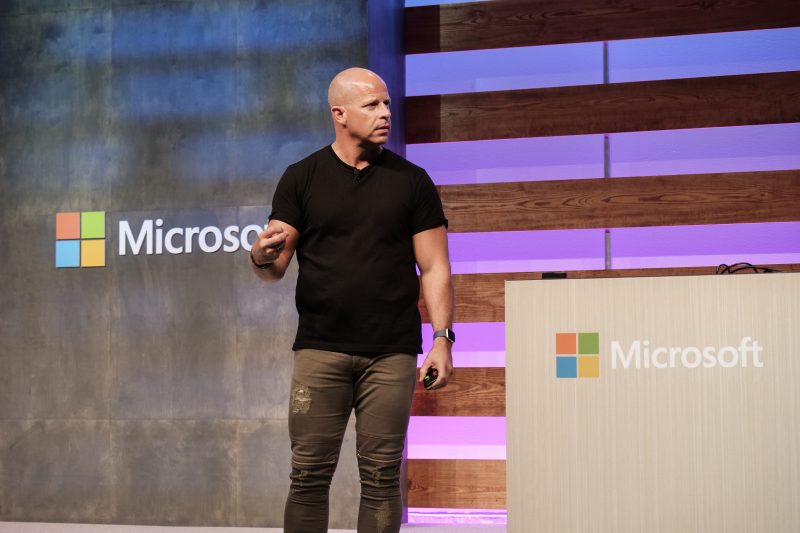
We’ve reached the third and final part of our Microsoft Ignite series, a three-part blog sequence detailing announcements that were made at Microsoft Ignite, Microsoft’s annual conference held for IT professionals and developers.
Across the series, we’ve detailed Ignite’s Microsoft M365 updates, security announcements, and – finally – landed here with Microsoft’s latest Windows advancements. I hope you’ve found the blog series useful so far and it has helped your organisation understand how you can receive total value from Microsoft’s technology now and in the year ahead.
Below we’ll take a closer look at what’s in store for Microsoft Windows.
Windows in a nutshell
Although I’m sure Windows needs no introduction, the operating system has come a long way since its beginning in 1985 and is easily the most popular desktop operating system in the world, enjoying a 70% market share.
The most recent version of Windows is Windows 11, designed to be fast, super user-friendly, and including a number of innovations, headlined by the Windows Copilot AI assistant.
Of course, as of Autumn 2019, Windows is also available as a virtualised operating system, known back then as Windows Virtual Desktop (WVD). Nowadays, Microsoft’s Desktop-as-a-service (DaaS) offers two cloud-based Windows solutions, Windows 365 and Azure Virtual Desktop (AVD).
Although both have emerged as powerful tools for enhancing productivity and enabling remote working, the difference between the two products resides in how they are licensed and supported. Windows 365 subscriptions remain fully managed by Microsoft, using Azure for virtual desktop deployment and storage and living completely within Microsoft’s Azure cloud. AVD, on the other hand, is entirely customer-managed with flexible, consumption-based pricing.
Windows announcements at Microsoft Ignite
Microsoft Ignite took place this year on the 14-17th November in Seattle, during which a host of new features for Windows 365 and Azure Virtual Desktop were announced. These included:
Windows App
Microsoft has created a Windows App for iOS, iPadOS, macOS, Windows, and web browsers. The app essentially takes the previous Windows 365 app and creates a central hub for streaming a copy of Windows from a remote PC, Azure Virtual Desktop, Windows 365, Microsoft Dev Box, or Microsoft’s Remote Desktop Services.
Windows 365 GPU support
This is support for dedicated graphics cards, which will be useful for customers looking to conduct GPU-heavy tasks such as photo and video editing, 3D modelling and data processing.
Windows 365 AI capabilities
AI was a big talking point at Ignite and Microsoft has utilised the power of AI to help customers reduce costs, ramp up security, and increase efficiency. For example, AI can be used to forecast Cloud PC investments for customers or identify and remediate security risks.
Azure Virtual Desktop Autoscale for personal desktops
Autoscale lets you scale your session host virtual machines (VMs) in a host pool up or down according to schedule to help customers optimise deployment costs.
Single-sign on (SSO) and password-less authentication
Announced for both Windows 365 and Azure Virtual Desktop, these methods provide a way to natively authenticate your users, simplifying the sign-in experience and reducing the risk of a cyber attack.
Windows 365 Customer Lockbox
In preview at the moment, Lockbox will ensure that Microsoft support engineers cannot access customer content without their explicit approval. Lockbox requests are also tracked and stored for review.
Windows 365 Custom Managed Keys
Will allow organisations to encrypt their Windows 365 Cloud PC disks using their own encryption keys. This means…
Watermarking, screen capture protection, and tamper protection
Designed to protect organisations against unauthorised access and tampering with data, these updates will help protect sensitive data and maintain data integrity.
Universal Print
Microsoft has finally joined the trend of directly supporting printing from the cloud with Universal Print, a Microsoft 365 subscription-based service that organisations can use to centralise print management through the Universal Print Portal. The service is fully integrated with all of Microsoft 365 and Windows 365 and has added support for MacOS endpoints.
Currently in preview, using Universal Print, employees will be able to securely and conveniently print on any corporate printer from anywhere and from any device. Users can print from any device or walk up to any corporate printer and securely release their print job, without having to choose the specific printer (fantastic news if you’ve ever felt frustrated waiting for a print job to come through!)
Windows Autopatch
One final announcement in the series: Microsoft is extending Windows Autopatch to PCs for frontline workers by adding Autopatch to the Microsoft 365 F3+ subscription, a long-awaited move that is sure to be gratefully received.
Furthermore, Windows Autopatch will become the unifying Windows update management solution for enterprise customers, also offering a fully automated service to keep costs down while still offering a high-level of customer control.
Before long, Windows Autopatch will become the de facto solution used to update and upgrade Windows devices, Microsoft 365 apps, Microsoft Teams and Microsoft Edge. Over time, Windows Update for Business deployment service will merge into the single service for enterprise customers.
To discuss any of these announcements, or simply how the Microsoft technology stack might benefit your organisation, please get in touch with our Microsoft experts using the green ‘get in touch’ button on this page.