News & Insights
SharePoint Zero-Day Attack: Is Your Business at Risk?
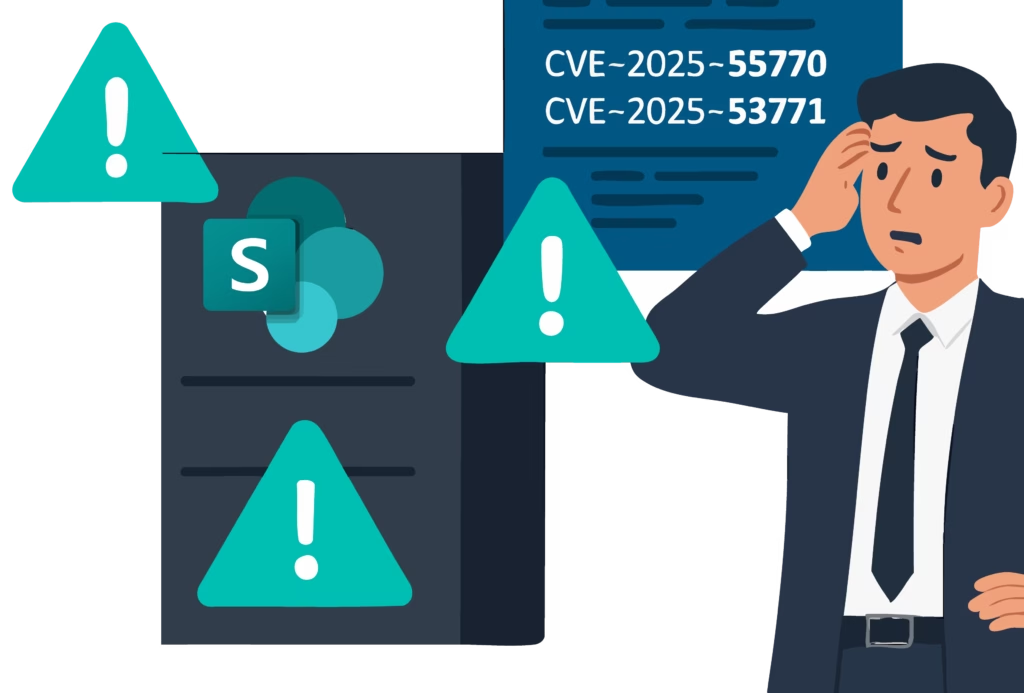
You may have seen recent reports about a critical security issue affecting Microsoft SharePoint On-Premises. If your organisation is still using SharePoint 2016, 2019, or the Subscription Edition, it’s important to take action promptly.
A zero-day vulnerability is currently being actively exploited, which means on-prem servers could be exposed to risk. While this sounds serious – and it is – there are steps you can take right away to protect your systems.
If you’re unsure whether this affects your setup or need help securing your environment, please reach out. We’re here to support you.
With a suspected four hundred plus organisations already targeted since last weekend, if your company still hosts SharePoint 2016, 2019, or the Subscription Edition on its own servers, action is required.
Additionally, while Microsoft communications have only highlighted the above versions as vulnerable, it’s worth mentioning that the unsupported SharePoint 2010 and 2013 versions also have a strong possibility of being affected (since these legacy systems have less up to date security and patching). Therefore, if you currently have any version of SharePoint on-prem running, we strongly recommend that you act now.
Please note: if your organisation uses the cloud-based version, SharePoint Online, you are not affected by this vulnerability.
The vulnerability explained
Two newly identified common vulnerabilities and exposures (CVEs), tracked as CVE-2025-53770 and CVE-2025-53771, are currently being exploited and allowing attackers to execute malicious code remotely upon on-premises SharePoint servers. The vulnerability allows attackers to send specially crafted web requests that, if successful, let them run any code they choose, effectively bypassing authentication altogether. This means a hacker can completely take control of your server without even needing to log in. This type of threat is called a Remote Code Execution (RCE) attack, and it can be severely detrimental if not dealt with quickly.
Once attackers gain access to servers, they often try to remain undetected, gathering data, monitoring internal activity, or installing backdoors for future access. In fact, you may not even notice anything is different right away, so it’s crucial to look for signs like:
- Unusual entity behaviour such as suspicious logins, unknown processes running, and attempted external callouts from internal only systems.
- Services stopping for long periods of time
- Slow server performance
- Suspicious network activity
Mitigation steps you can take
These attacks have been active since July 18, 2025. While this is a serious issue, there are practical steps you can take right now to help protect your organisation.
Microsoft has recommended carrying out the below mitigation measures:
1. Upgrade to a supported version of SharePoint On-Prem
Microsoft has released new security updates for all affected versions of SharePoint Server (SharePoint 2016, 2019, and SharePoint Subscription Edition) to help protect customers against these vulnerabilities. These updates should be applied immediately to secure systems.
2. Enable antimalware scan interface (AMSI)
Antimalware scan interface integrates with your antivirus to scan scripts running on your server and flags any potentially harmful activity. It can be an effective defence against the kind of attack we’re dealing with here. Organisations should configure AMSI integration in SharePoint and deploy Microsoft Defender Antivirus on all SharePoint servers to stop unauthenticated attackers from exploiting vulnerabilities.
If you cannot enable AMSI, Microsoft recommends disconnecting your server from the internet until you have applied the latest security update. If the server can’t be disconnected from the internet, businesses should consider using a VPN or proxy requiring an authentication gateway to limit unauthenticated traffic.
3. Strengthen visibility and detection
Building out detection capabilities is crucial for effectively protecting your environment. Think of your detection mechanism as the castle of your cyber security system. Operating at the centre of your digital environment, it provides visibility over your entire estate so you know what’s going on and can clearly see any suspicious activity and respond accordingly. A security information and event management system (SIEM) like Microsoft Sentinel can help you monitor and analyse large amounts of security data across your entire estate to ensure any potential threats are detected and contained as quickly as possible.
4. Install Microsoft Defender for Endpoint
Microsoft Defender for Endpoint provides visibility into suspicious server activity and provides real-time alerts. As well as this, Defender identifies and blocks threats in real-time with its advanced machine learning algorithms and behavioural analysis capabilities. It’s particularly helpful if you suspect a compromise may have already occurred, as it will allow you to detect and block activity post-exploit.
5. Restrict server access
Limit access to your organisation’s server and apply Principle of Least Privilege. Use network segmentation – place your SharePoint server in a demilitarised zone (DMZ) or isolated network area to prevent lateral movement if attackers get in.
Building resilience against future threats
Although taking the above mitigation steps will help protect your environment against the current threat, it’s important to build out a long-term cyber security strategy to protect against an everchanging threat landscape.
If your business is still managing the risk of on-premises solutions with end-of-life soon approaching, it may be time to consider migrating to SharePoint Online or another cloud-based collaboration platform. Remember, Microsoft’s cloud infrastructure receives regular security updates and controls to ensure an effective foundational security base, allowing you to continue to build on this foundation to mitigate data breach risk.
While moving to the cloud isn’t a complete guarantee against cyber-attacks, it does reduce much of the burden of patching and vulnerability management. For many businesses, the added security, oversight and reliability of cloud services is worth the transition.
Otherwise, if your business chooses to continue using SharePoint on-premises, it’s critical to invest in:
- Strong endpoint security
- Timely patching policies
- DNS filtering and logging
- Limited permissions and access (Principle of Least Privilege)
- Staff training on security awareness
Now’s the time to take proactive steps to strengthen your systems, reduce potential exposure, and build resilience – not just for this incident, but for any future threats that may arise.
Speaking on the situation, Sean Tickle, Cyber Services Director here at Littlefish stated: “This zero-day isn’t just another patch-and-forget moment – it’s a wake-up call for every organisation still resisting the benefits of cloud environment and a sense check for our more data security on premises focused clients.
At Littlefish and Storm, we’re seeing firsthand how attackers exploit even the smallest gaps in visibility and privilege management. Businesses must act decisively, apply the Principle of Least Privilege, strengthen detection capabilities, and rethink their reliance on unsupported or high maintenance platforms. Cyber resilience isn’t built overnight, but ignoring this threat could mean handing over the keys to your kingdom.”
If you need help assessing the risk or planning a cloud migration, please get in touch today to speak with one of our SharePoint security specialists.